RACK-LIVE-DIAGRAM — free rack diagram & riser tool
Draw network racks the way they are installed on site: 19-inch rack elevations, patch panels, switches, fiber, NVRs and every cable between them — then export a clean cable schedule and port map for the handover file.
Open RACK-LIVE-DIAGRAM →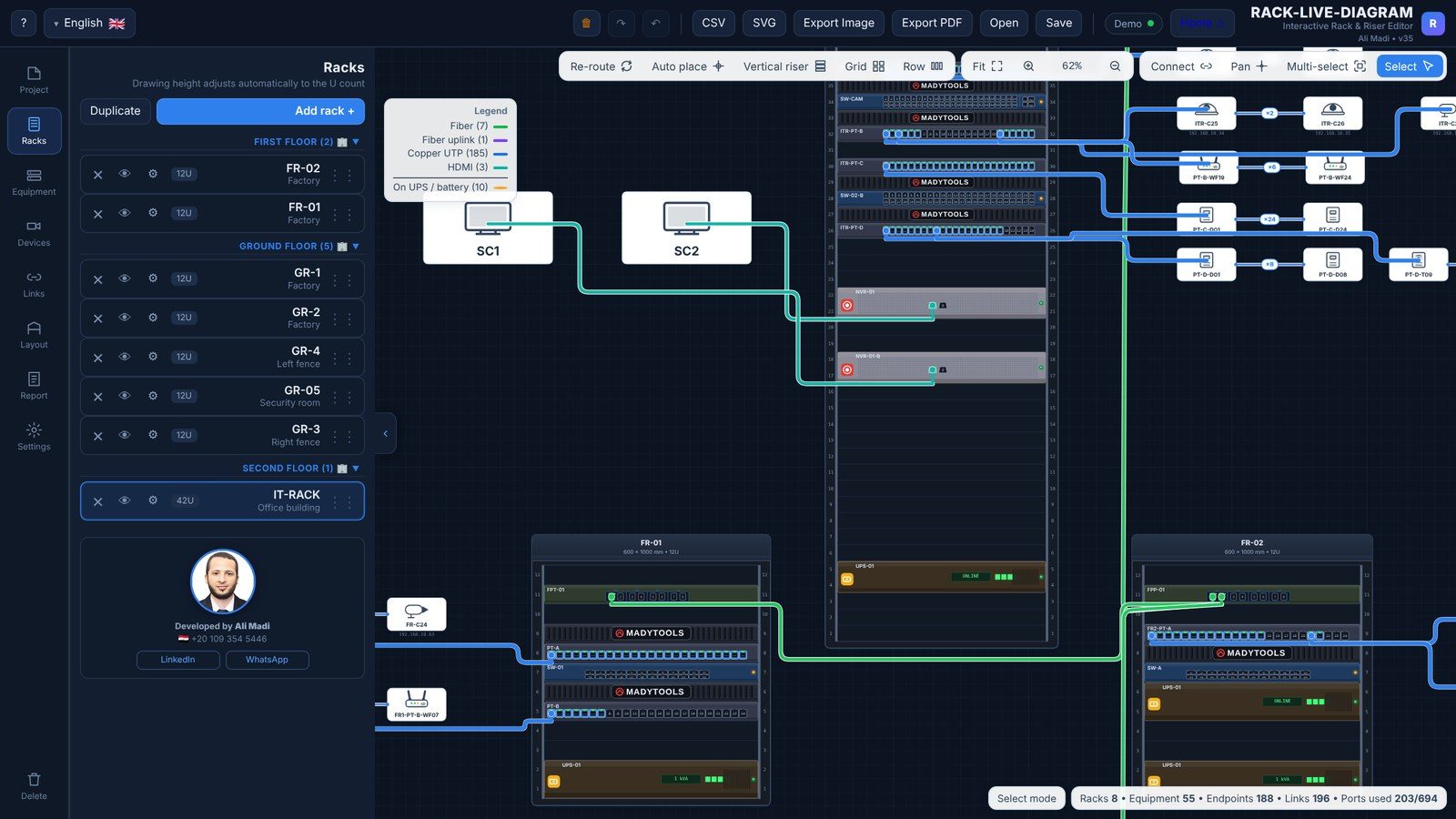
Features
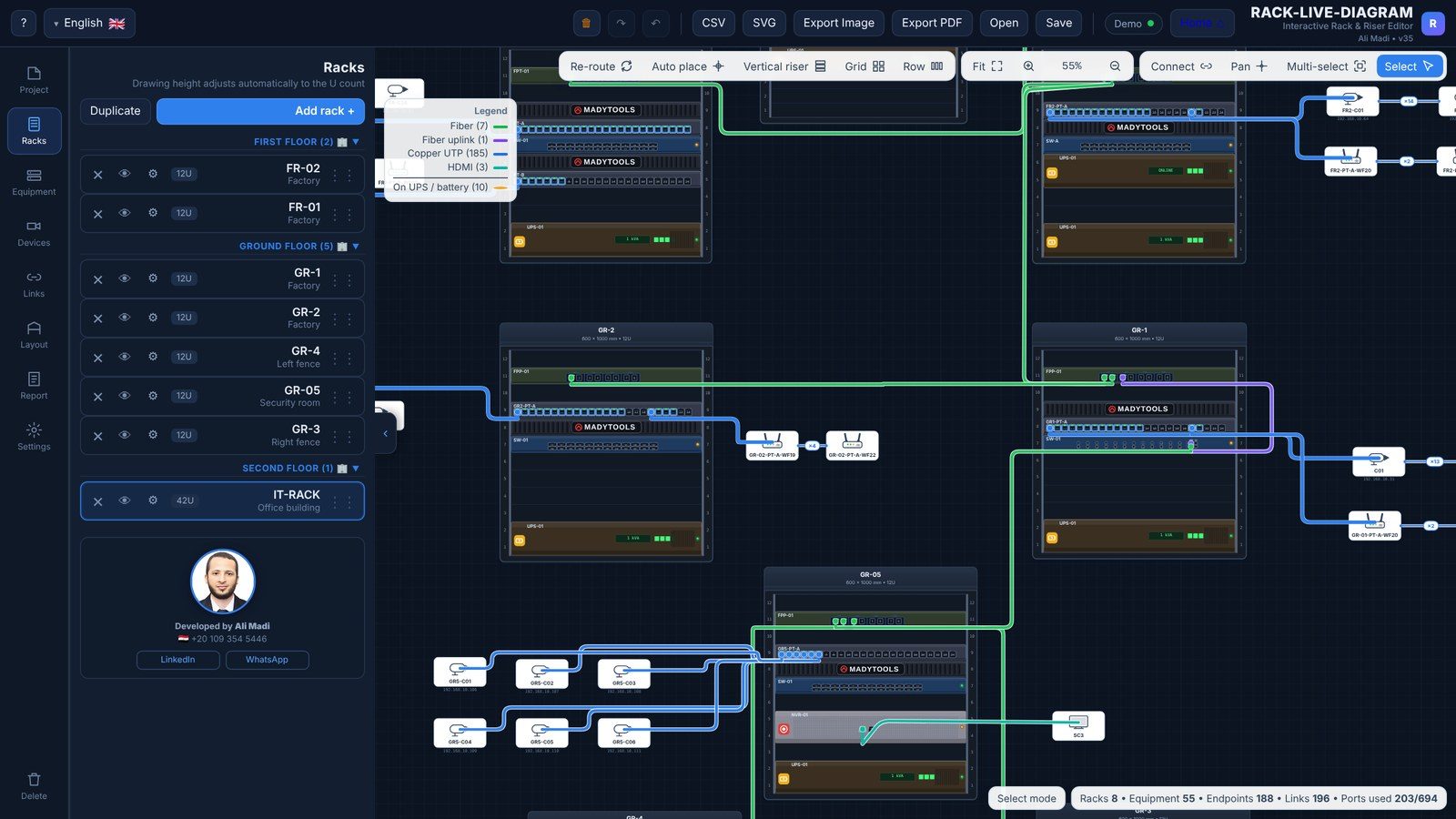
- Rack elevations in rack units (U) with real devices: patch panels, switches, routers, ODF / fiber trays, NVRs, UPS, PDUs and cable managers.
- Riser diagram — racks on every floor and the backbone links between them (fiber or copper).
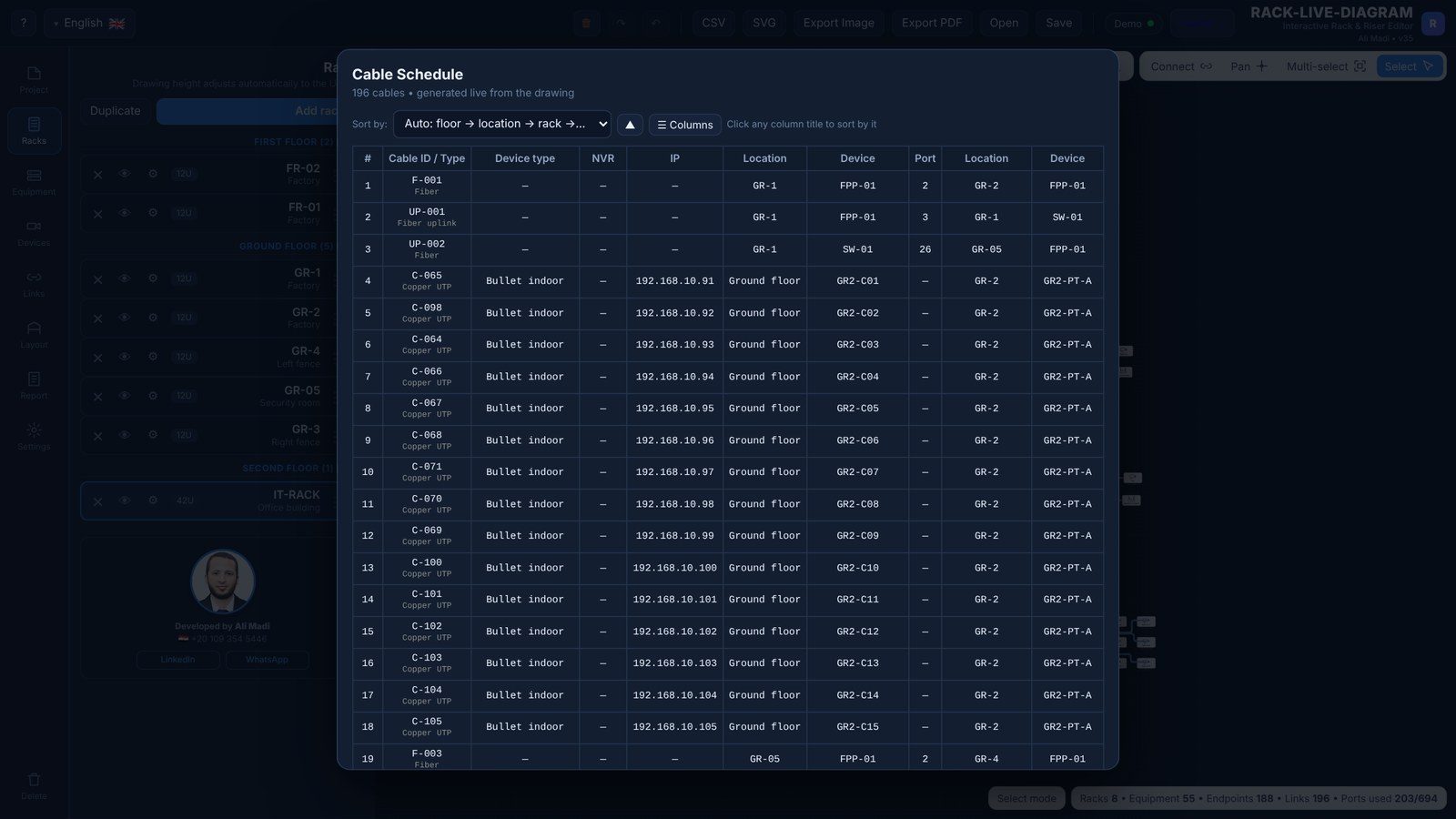
- Port map — every connection from port to port, with cable IDs, cores and lengths.
- Field devices — cameras, access points, access-control readers and more, with their locations and IP addresses.
- Report tables you can sort by floor, location, IP, rack or any column, and choose which columns to print.
- Export — PDF, SVG, PNG, CSV and Excel, plus a bill of quantities.
How to draw a rack diagram
- Create a rack and set its height (for example 42U) and its floor / location.
- Drag devices into the rack: patch panels with cable managers, then switches.
- Add field devices and connect them to patch-panel ports.
- Connect the patch panels to the switch ports and the racks to each other.
- Open the report table, sort it by floor and location, and export.
Made for low-current engineers
RACK-LIVE-DIAGRAM was built by an ELV team lead to replace hours of Excel and Visio work on every project. It is free, works in English, Arabic and French, and keeps your project on your own computer (save / open as a file).
Frequently asked questions
Is RACK-LIVE-DIAGRAM free?
Yes, the online tool is free with no account.
Can I export the port map to Excel?
Yes — the cable table exports to Excel and CSV with the columns and order you choose.
Does it support fiber?
Yes: ODFs, fiber trays and fiber cables with core numbers are supported.
Is there a desktop version?
Yes, a Windows edition is available that works fully offline.
Related guides
How to draw a 19-inch rack diagram
A practical guide to network rack diagrams: rack unit (U) sizes, 42U rack layout, where to put patch panels, switches, fiber ODF, UPS and PDU, labelling, and how to make the port map.
Read the guide →How to calculate NVR storage for CCTV cameras
Step-by-step NVR / DVR storage calculation for IP cameras: the bitrate formula, typical bitrates for H.264 and H.265, motion recording, RAID and a free storage calculator.
Read the guide →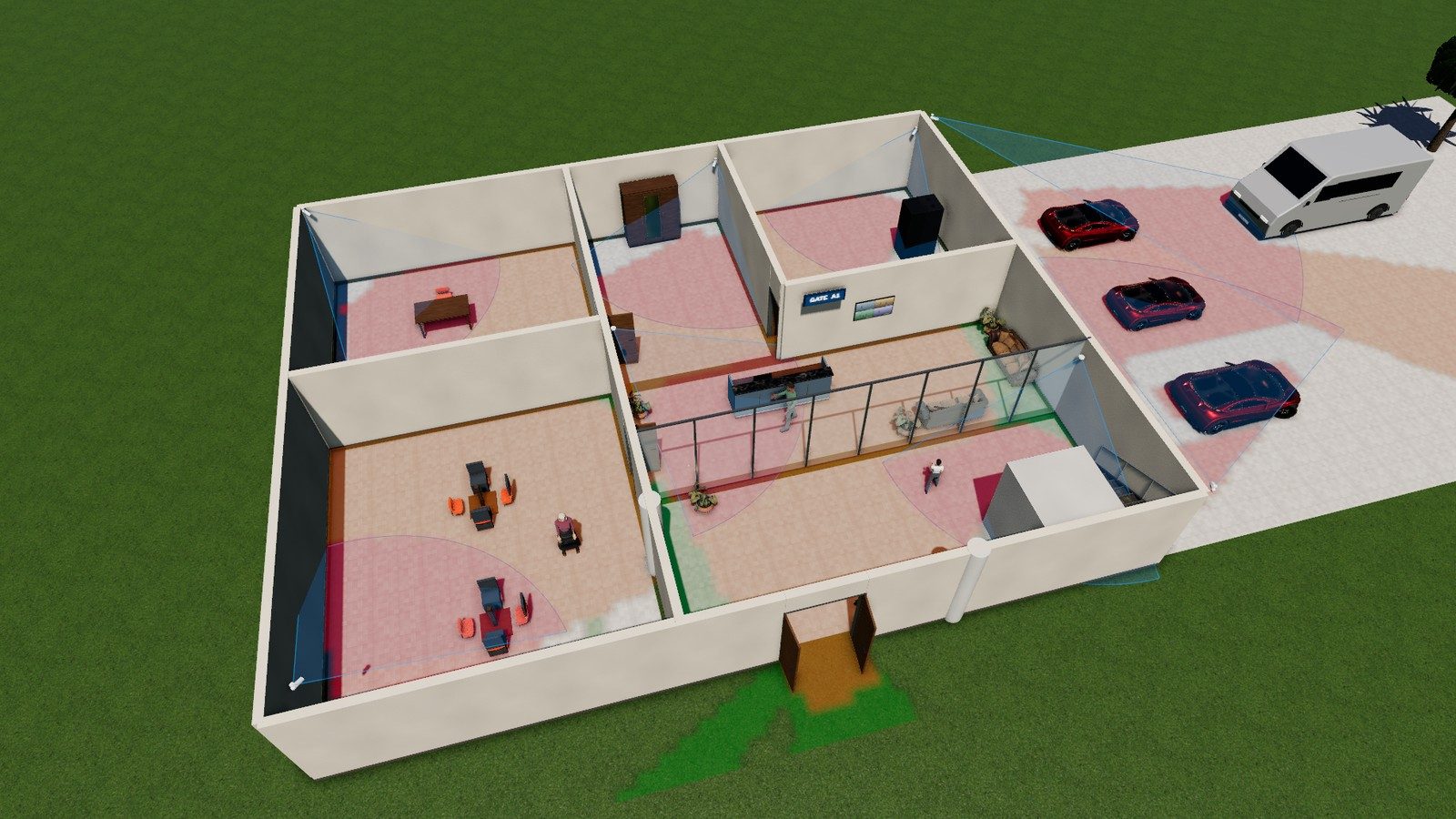
DORI in CCTV: pixel density made simple
What DORI means in CCTV design, the IEC EN 62676-4 pixel-density values (25, 63, 125, 250 px/m), how to calculate pixels per metre at any distance and a free calculator.
Read the guide →