CCTV Designer Pro — free CCTV design software
Plan a complete IP surveillance system on your own floor plan: camera positions, field of view, DORI coverage, a realistic 3D camera view, NVR storage and a ready-to-send report. Free, in English, Arabic and French.
Open CCTV Designer Pro →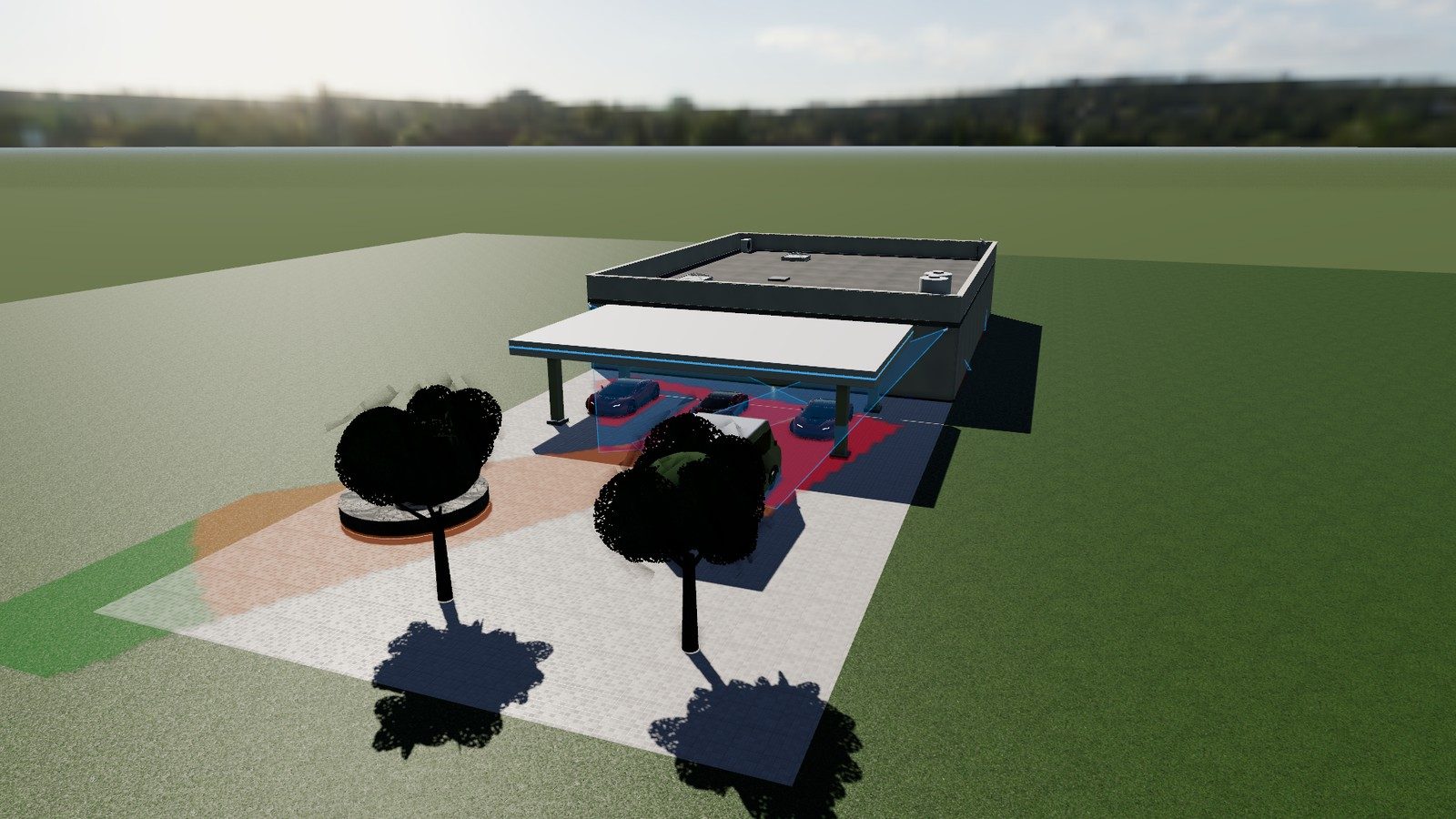
What you can do with it
- Import your plan — a PDF, an image or an AutoCAD DXF drawing, then calibrate the scale with one line of known length.
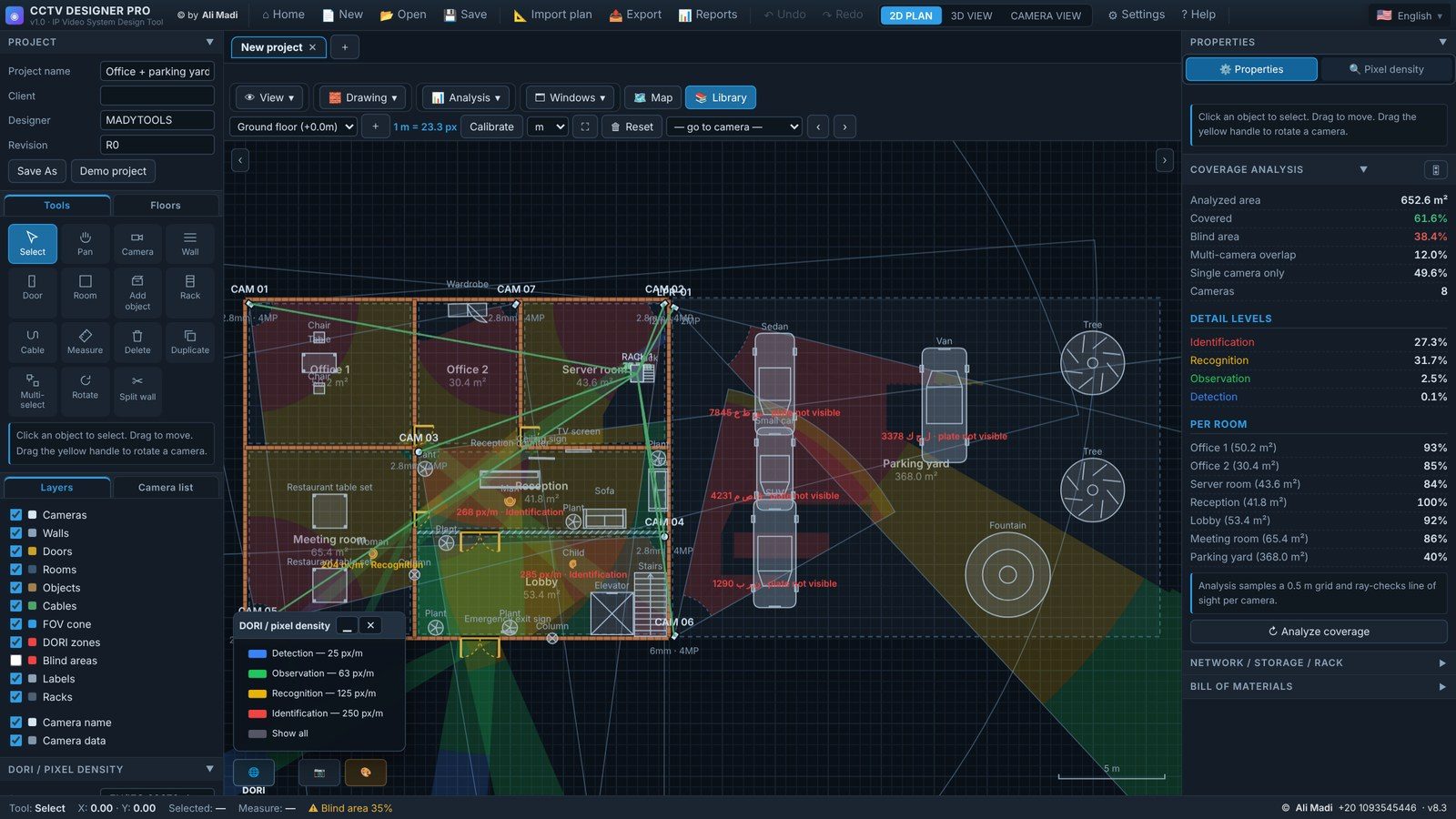
- Place cameras — dome, bullet, PTZ and fisheye, on the ceiling, wall or a pole, with real lens, sensor, resolution and IR range.
- See the coverage — the field of view is cut by walls and obstacles, and coloured by the DORI levels of IEC EN 62676-4 (detection, observation, recognition, identification).
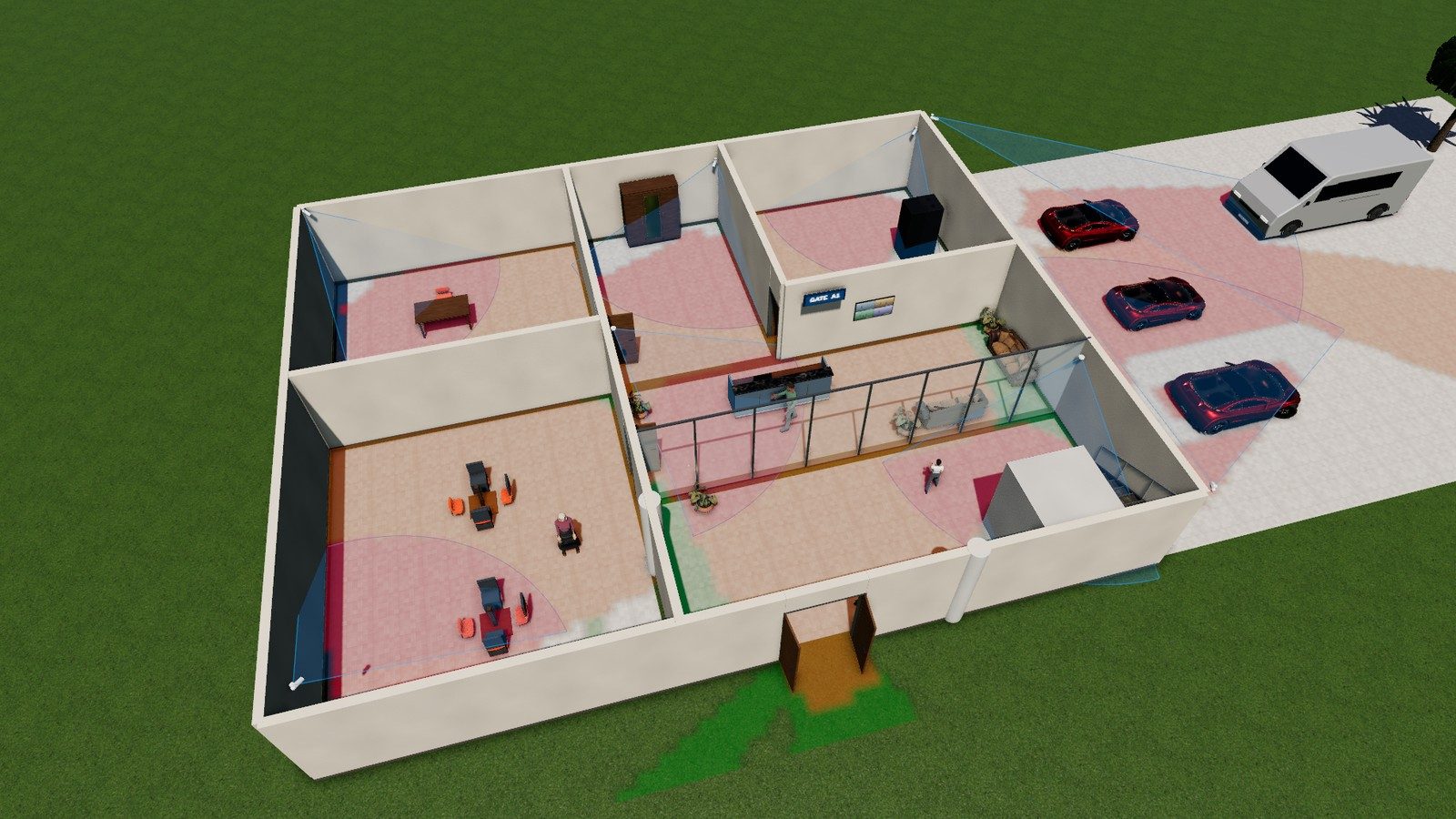
- Look through the camera — a realistic 3D view with people, cars, furniture, day and night lighting, IR mode and real pixelation at the computed pixel density.
- Size the recorder — bitrate per camera, recording days, motion recording, RAID and the number of hard disks.
- Deliver — a project report with plans, camera list, coverage and bill of materials (PDF / Excel).
How to design a CCTV system in 5 steps
- Open the tool and choose Import plan to load the drawing of the site.
- Draw or trace the walls, doors and rooms (or use the walls from the DXF).
- Add cameras and drag them into place; turn the yellow handle to aim them.
- Check the coverage analysis: blind areas, overlap and the DORI level of every room.
- Open Reports to export the design, the camera schedule and the NVR storage.
Why engineers use it
Paid CCTV design software is expensive and usually English-only. CCTV Designer Pro is made by a low-current (ELV) engineer for daily site work: it is free, it runs in any modern browser with nothing to install, your project stays on your own computer, and a Windows desktop edition works fully offline.
Frequently asked questions
Is CCTV Designer Pro really free?
Yes. The online version is free to use with no account and no watermark.
Which standard is used for DORI?
The pixel-density levels follow IEC EN 62676-4:2015 — 25, 63, 125 and 250 pixels per metre for detection, observation, recognition and identification.
Can I import AutoCAD drawings?
Yes, DXF files can be imported and their layers switched on or off; PDF and image plans work too.
Does it work offline?
The browser version needs the page to load once; the Windows desktop edition includes the full 3D engine and works without internet.
Related guides
DORI in CCTV: pixel density made simple
What DORI means in CCTV design, the IEC EN 62676-4 pixel-density values (25, 63, 125, 250 px/m), how to calculate pixels per metre at any distance and a free calculator.
Read the guide →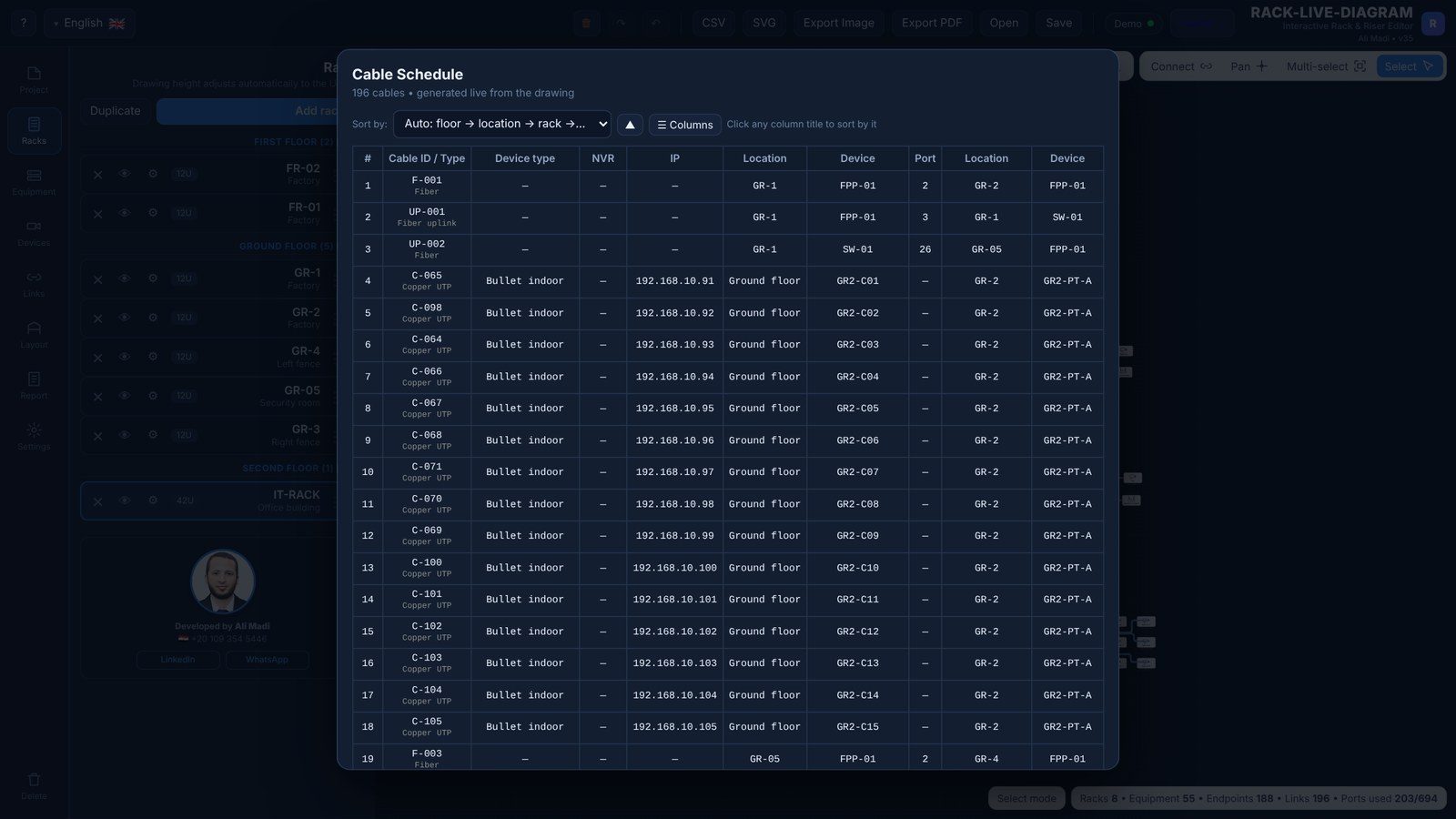
How to calculate NVR storage for CCTV cameras
Step-by-step NVR / DVR storage calculation for IP cameras: the bitrate formula, typical bitrates for H.264 and H.265, motion recording, RAID and a free storage calculator.
Read the guide →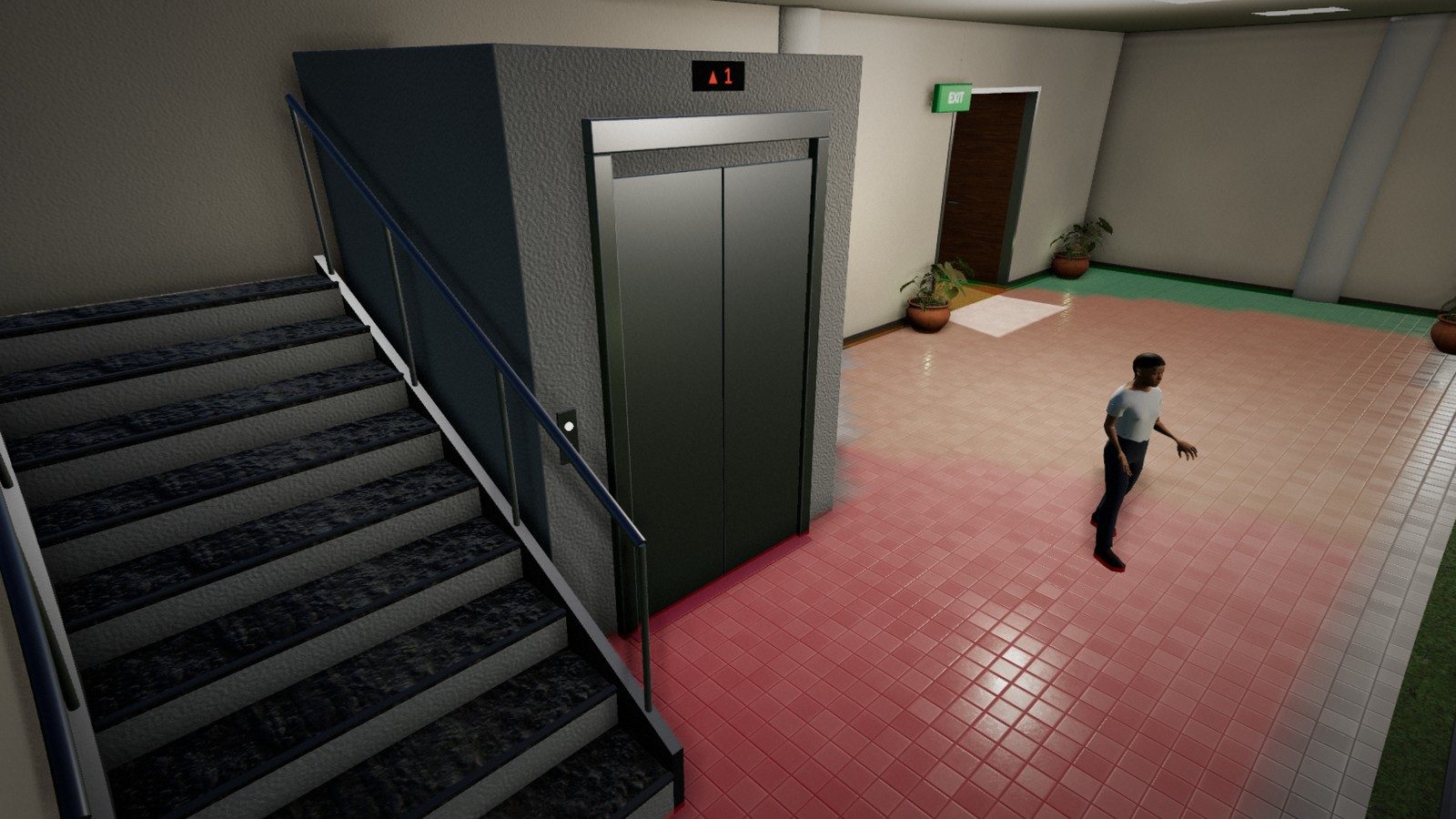
How to choose a CCTV lens (focal length & field of view)
Choose the right CCTV camera lens: 2.8 mm vs 4 mm vs 6 mm vs 12 mm, the focal length formula, field-of-view angles for common sensors, varifocal and motorised lenses, plus a lens calculator.
Read the guide →